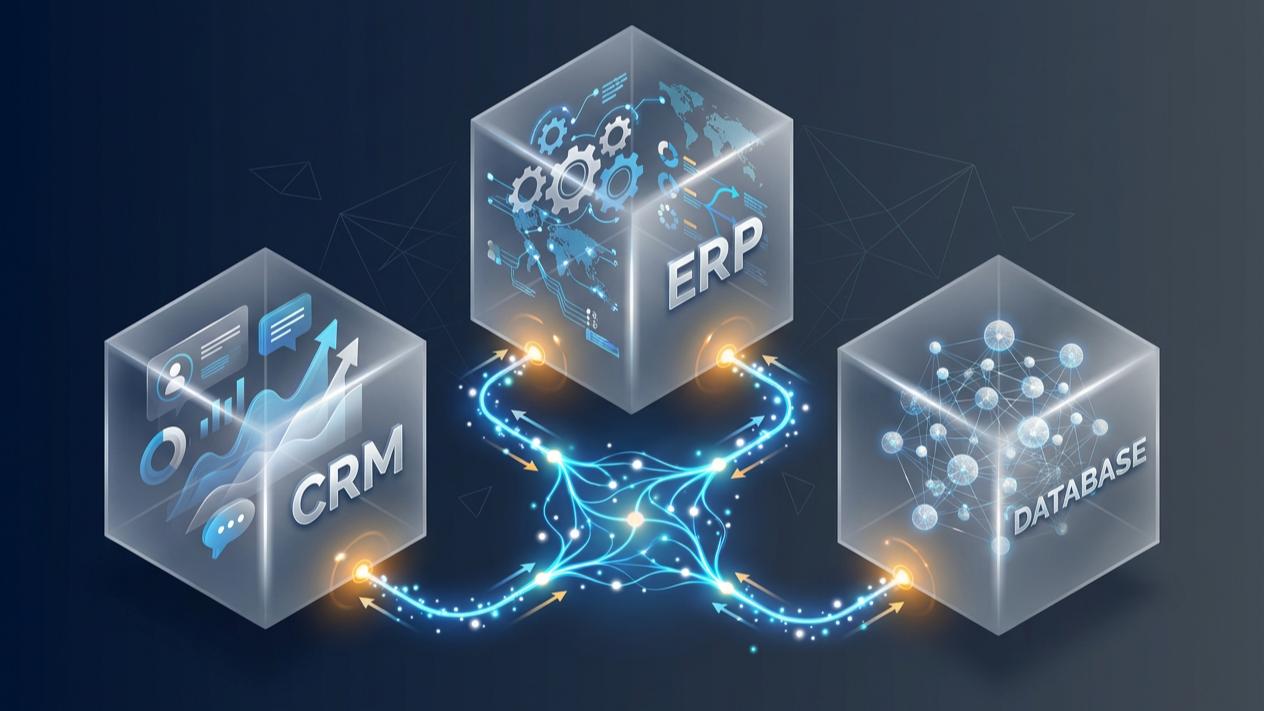
The Enterprise Guide to HubSpot ERP Integration: Syncing SAP, NetSuite & Workday (2026 Architecture)
How Do You Integrate HubSpot with Enterprise ERP Systems?
Integrating HubSpot with enterprise systems such as SAP, Oracle NetSuite, and Workday requires a structured approach to data synchronization, API connectivity, and business process orchestration. While native integrations can support common CRM and financial data exchanges, organizations with complex workflows, multiple business entities, and custom data requirements may need custom REST APIs or an integration platform as a service (iPaaS) such as MuleSoft.
A well-designed integration architecture connects HubSpot’s customer-facing operations with back-office systems of record, allowing sales, finance, operations, and customer success teams to work with consistent information. The right solution must also account for data ownership, API limits, security, error handling, and long-term scalability.
Introduction: Why Enterprise Businesses Need HubSpot ERP Integration
Enterprise businesses rarely operate through a single software platform.
Sales and marketing teams may rely on HubSpot to manage customer relationships, track opportunities, automate follow-ups, and monitor revenue pipelines. Meanwhile, finance departments use ERP platforms to manage invoices, payments, procurement, and financial reporting. Human resources teams may depend on platforms such as Workday to manage employee information and workforce operations.
Each system serves a different business function, but the information they manage is often interconnected.
Consider a company that closes a major enterprise deal through HubSpot. The sales team updates the opportunity to Closed Won, but the finance department still needs to manually create the customer record, verify billing details, generate an order, and coordinate with operations.
Without an integration between these systems, the handoff becomes dependent on manual processes.
This creates several operational challenges:
Fragmented customer information: Sales representatives cannot easily access updated billing, order, or account information.
Manual data entry: Finance and operations teams repeatedly transfer information between platforms.
Delayed business processes: Closed-won deals may take longer to reach billing, fulfillment, or onboarding.
Inconsistent reporting: Revenue forecasts in HubSpot may not reflect actual financial or transactional information.
Limited operational visibility: Teams struggle to identify payment delays, fulfillment issues, and customer account changes.
HubSpot ERP integration addresses these challenges by connecting customer-facing activities with the operational systems that support the business.
However, successful integration involves more than connecting two applications. It requires an architecture that defines how information moves, which system owns each data point, and how the integration responds when something goes wrong.
1. Understanding the Relationship Between HubSpot and ERP Systems
Before selecting an integration approach, businesses must understand the different responsibilities of their CRM and enterprise systems.
HubSpot and ERP platforms are designed to support different parts of an organization’s operations.
HubSpot: The Customer and Revenue Management Layer
HubSpot provides tools for managing customer relationships throughout the marketing, sales, and service lifecycle.
Depending on the products and subscription tiers implemented, businesses can use HubSpot to manage:
Contacts and companies
Leads and sales opportunities
Deals and revenue pipelines
Customer communications and activities
Marketing campaigns and engagement
Customer service interactions
Sales workflows and automation
Customer onboarding and retention activities
HubSpot becomes particularly valuable when customer-facing teams need a centralized view of interactions and opportunities.
ERP Platforms: The Operational and Financial System of Record
ERP platforms manage the operational information required to run a business.
Depending on the platform and modules deployed, these systems may manage:
Customer accounts and billing information
Invoices and payment records
Sales orders and purchase orders
Product catalogs and inventory
Procurement and supply chain operations
Financial reporting and accounting
Subsidiaries and business entities
Tax and compliance information
For example, SAP S/4HANA and Oracle NetSuite support enterprise resource planning and financial operations, while Workday primarily supports human capital management and, through its Financial Management products, financial operations.
The distinction matters because not every enterprise system should exchange the same information with HubSpot.
Why They Need to Work Together
The objective is not to replace one platform with another. It is to establish a connected business environment in which each application performs its intended function while sharing the information necessary for other departments.
For example:
A prospect submits a demo request through HubSpot.
The sales team qualifies the prospect and creates a deal.
Once the deal reaches an agreed commercial milestone, HubSpot sends the relevant information to the integration layer.
The ERP creates or updates the appropriate customer and order records.
The ERP returns the resulting order or billing information.
HubSpot updates the associated CRM records so customer-facing teams can see the latest information.
This creates a more consistent connection between the customer journey and the company’s internal operations.
2. Three Approaches to HubSpot ERP Integration
There is no single integration architecture that works for every enterprise.
The appropriate approach depends on the number of systems involved, data complexity, transaction volume, customization requirements, and available technical resources.
Most implementations fall into three categories.
| Integration approach | How it works | Best suited for | Complexity |
|---|---|---|---|
| Native integrations | Uses existing connectors and supported synchronization features | Standard CRM and financial data exchange | Low to Medium |
| Custom API integration | Connects systems through APIs and custom-developed integration logic | Specialized workflows and data requirements | Medium to High |
| Enterprise iPaaS | Uses middleware to orchestrate multiple applications, data transformations, and business processes | Complex enterprise environments | High |
Approach 1: Native Marketplace Integrations
Native integrations are often the most practical starting point for businesses with standard integration requirements.
HubSpot provides marketplace integrations and data synchronization capabilities that allow supported applications to exchange information without requiring a completely custom integration.
For example, HubSpot’s NetSuite integration supports synchronization between corresponding records, including:
Contacts and individuals
Companies
Deals and opportunities
Invoices
Sales orders
Products
Support cases and activities
Depending on the available configuration, businesses can establish one-way or two-way synchronization and configure supported field mappings.
Advantages:
Faster implementation compared with building an integration from scratch.
Reduced custom development requirements.
Built-in synchronization capabilities.
Easier management of supported standard records.
Lower initial technical complexity.
Limitations:
Native integrations are designed around supported objects, fields, and synchronization rules. They may not accommodate every specialized enterprise workflow.
Businesses may require additional development when dealing with complex financial structures, multiple subsidiaries, custom approval processes, proprietary applications, or specialized data transformation requirements.
For example, a company may successfully synchronize customer and invoice information through a native connector but still need custom integration logic to coordinate regional credit approvals and order fulfillment.
When should businesses choose this approach?
Start with a native integration when the systems involved have an established connector and the required data flows fit its supported capabilities.
There is no reason to introduce complex middleware if an existing integration can meet the business requirements reliably.
Approach 2: Custom REST API Integration
Custom API integration provides greater control over how applications communicate.
HubSpot provides CRM APIs, webhooks, and other developer capabilities that allow external applications to retrieve, create, update, and associate records.
An enterprise can use these capabilities to build an integration that follows its specific business rules.
For example, consider a business that needs to transfer information from HubSpot to a proprietary financial application whenever a deal reaches a particular stage.
A custom integration can:
Detect the relevant deal update.
Retrieve the required customer and transaction information.
Validate mandatory fields.
Transform the information into the destination application’s expected format.
Submit the information through the destination API.
Capture the response and update the appropriate HubSpot records.
Log failures and initiate an appropriate retry process.
Advantages:
Greater flexibility in data mapping.
Custom business logic and validation.
Control over synchronization triggers.
Integration with proprietary or legacy applications.
Ability to support specialized workflows.
Limitations:
Custom integrations require ongoing technical ownership.
Developers must account for API authentication, version changes, rate limits, data validation, duplicate records, failed requests, and monitoring.
An integration that works during initial testing may encounter problems when transaction volumes increase or when one of the connected systems becomes temporarily unavailable.
When should businesses choose this approach?
Custom APIs are appropriate when the required integration is specific, well-defined, and does not justify introducing a larger enterprise integration platform.
Approach 3: Enterprise iPaaS and Middleware Integration
For organizations operating across multiple enterprise applications, an integration platform as a service (iPaaS) can provide a more centralized approach.
Platforms such as MuleSoft Anypoint Platform, Microsoft Azure integration services, and AWS integration services help coordinate communication between applications.
Instead of building separate connections for every application, businesses can establish a centralized integration architecture.
For example:
HubSpot may need to communicate with SAP, Workday, an e-commerce platform, a billing application, and a data warehouse.
Rather than developing and maintaining several disconnected integrations, middleware can manage shared connectivity, data transformations, business rules, and integration monitoring.
Advantages:
Centralized integration management.
Reusable APIs and integration components.
More structured data transformation.
Support for complex multi-system workflows.
Centralized monitoring and error handling.
Better governance across enterprise applications.
Limitations:
Enterprise middleware introduces additional implementation and operational considerations.
Organizations must account for platform licensing, infrastructure, integration design, deployment, security policies, and ongoing maintenance.
An iPaaS platform is not automatically the best choice for every integration. Its value becomes more apparent when the business has multiple systems, complex workflows, and long-term integration requirements.
When should businesses choose this approach?
Consider enterprise middleware when integrations involve multiple systems, complex business processes, substantial data transformation, or requirements for centralized API governance.
3. Connecting HubSpot with SAP, NetSuite, and Workday
Although these platforms may exchange information with HubSpot, their integration requirements are not identical.
Understanding the role of each system helps determine which records should be synchronized and how the integration should be designed.
HubSpot and SAP Integration
SAP environments often support complex enterprise operations involving finance, procurement, manufacturing, inventory, and supply chain management.
Connecting SAP with HubSpot can give customer-facing teams access to operational information without requiring them to work directly inside SAP.
Potential integration use cases include:
Customer and account synchronization
Synchronize approved customer and account information between HubSpot and SAP to reduce duplicate records and improve account visibility.
Sales order visibility
Allow sales representatives to view relevant order information associated with customer accounts and opportunities.
Product and inventory information
Make approved product details, availability information, or fulfillment updates accessible to customer-facing teams.
Financial and billing visibility
Provide visibility into relevant invoice statuses and financial milestones while keeping the ERP responsible for authoritative financial records.
Multi-entity operations
Support business processes involving subsidiaries, regional operations, and different organizational structures.
SAP integration requires careful attention to the specific SAP environment.
SAP S/4HANA, for example, may expose different integration capabilities depending on the deployment model, configuration, and available services.
A successful integration must account for SAP’s data structures, authentication requirements, business logic, and the way existing enterprise applications communicate with it.
For complex SAP environments, middleware such as MuleSoft can provide a structured integration layer between SAP and HubSpot.
HubSpot and Oracle NetSuite Integration
Oracle NetSuite is commonly used by growing and established businesses to manage financial operations, accounting, orders, inventory, and other enterprise processes.
Connecting NetSuite with HubSpot can help sales and customer success teams access information that would otherwise remain within the finance or operations environment.
Common integration scenarios include:
Customer synchronization
Keep corresponding company and contact records consistent between HubSpot and NetSuite.
Opportunity and sales order management
Connect HubSpot deals with NetSuite opportunities and sales orders, supporting a more connected transition from sales to order processing.
Invoice visibility
Allow customer-facing teams to review relevant invoice information and payment-related statuses.
Product information synchronization
Share relevant product and service information between the platforms to support sales operations.
Customer support coordination
Connect support-related information so teams can better understand customer accounts and their associated transactions.
HubSpot’s native NetSuite integration already supports several of these use cases, making it a sensible first option for organizations whose requirements fit the available functionality.
However, businesses with specialized approval processes, advanced financial rules, additional applications, or complex data relationships may benefit from custom integration extensions or middleware.
HubSpot and Workday Integration
Workday requires a slightly different integration perspective.
Unlike SAP S/4HANA and Oracle NetSuite, which are commonly used as ERP platforms, Workday is widely recognized for Human Capital Management (HCM) and also offers Financial Management capabilities.
Its integration with HubSpot may therefore focus on different business processes depending on the Workday products deployed.
Potential integration scenarios include:
Employee and organizational information
Synchronize approved employee or organizational data when required for internal business processes.
Account and workforce coordination
Support business processes that depend on organizational structures, departments, or workforce assignments.
Financial management connectivity
For organizations using Workday Financial Management, connect relevant financial information with HubSpot where appropriate.
Approval and operational workflows
Coordinate processes that involve customer-facing teams and internal departments, subject to the organization’s security and access policies.
An important consideration is data privacy.
Employee records and HR information should not automatically become accessible within a customer relationship management platform.
Organizations must define which employee information is necessary, who can access it, and whether the proposed integration complies with applicable privacy and security requirements.
The integration should exchange only the information required to support the intended business process.
4. Designing an Enterprise HubSpot Integration Architecture
Choosing an integration platform is only one part of the implementation.
A reliable enterprise architecture must also define how information moves between applications, where business logic is applied, and how the integration handles errors.
One established architectural approach is API-led connectivity.
MuleSoft commonly organizes this architecture into three layers: System APIs, Process APIs, and Experience APIs.
The Three-Layer API-Led Architecture
1. System API Layer
System APIs provide controlled access to the underlying enterprise applications.
For example:
SAP customer and order information.
NetSuite financial and transaction records.
Workday employee or financial information.
HubSpot CRM records.
This layer abstracts the technical details of each connected system.
If the underlying ERP changes, the business can potentially update the corresponding System API without redesigning every application that consumes its data.
2. Process API Layer
Process APIs coordinate business logic across multiple systems.
For example, when a HubSpot deal reaches Closed Won, a process may:
Validate the customer account.
Check whether the customer already exists in the ERP.
Retrieve relevant product and pricing information.
Validate mandatory billing information.
Initiate the appropriate order creation process.
Capture the resulting transaction reference.
Return relevant information to HubSpot.
This layer is where business rules, orchestration, and data transformation are coordinated.
3. Experience API Layer
Experience APIs deliver information in a format suitable for a particular application or consumer.
In a HubSpot integration, this layer can provide customer-facing teams with relevant information from the underlying enterprise systems.
For example, sales representatives may need order status, invoice references, and fulfillment updates displayed within the HubSpot environment.
The objective is to provide useful information without exposing unnecessary ERP complexity.
Example: An Integrated HubSpot-to-ERP Workflow
Consider a company using HubSpot for sales management and SAP for financial and operational processes.
The workflow might look like this:
Stage 1: Deal qualification
A sales representative qualifies a prospect and creates a deal in HubSpot.
Stage 2: Commercial validation
The deal reaches an agreed stage that triggers an integration workflow.
The integration checks whether the required customer and commercial information is available.
Stage 3: Data transformation
The integration layer maps HubSpot information into the format expected by SAP.
This may involve translating customer identifiers, product codes, billing details, and organizational references.
Stage 4: ERP processing
SAP validates the submitted information and creates the appropriate records based on the organization’s business rules.
Stage 5: Response synchronization
The integration captures the ERP response, including relevant customer, order, or transaction references.
Stage 6: HubSpot update
The associated HubSpot records are updated with the information required by the sales and customer success teams.
The result is a more connected workflow from opportunity management to back-office processing.
Importantly, not every workflow needs all three API layers. The architecture should reflect the actual complexity and future requirements of the organization rather than introducing unnecessary components.
5. Critical Technical Considerations for Enterprise ERP Integration
A successful integration must do more than transfer information between applications.
It must preserve data quality, maintain security, and continue operating reliably as the organization grows.
The following technical considerations should be addressed during implementation.
1. API Rate Limits and Transaction Volume
Enterprise systems may process large volumes of transactions, particularly during billing cycles, financial closing periods, and peak sales activity.
However, APIs have usage limits.
HubSpot API limits depend on the applicable subscription, application type, and API access model. Other connected platforms also impose their own request limits and processing constraints.
Sending every record update as an individual API request can create unnecessary traffic and lead to throttling.
A better approach may include:
Using supported batch endpoints for eligible operations.
Applying request throttling and backoff strategies.
Queuing updates for asynchronous processing.
Grouping related transactions where appropriate.
Monitoring API consumption.
Prioritizing business-critical transactions.
For example, an invoice synchronization process does not necessarily need to send every update independently and immediately.
A queue-based architecture can help manage transaction volumes while protecting connected systems from excessive requests.
2. Data Mapping and Relational Associations
ERP systems often maintain complex relationships between business records.
A customer may have multiple subsidiaries, billing accounts, purchase orders, contracts, and invoices.
HubSpot uses CRM objects, properties, and associations to organize customer and business process information.
The integration must map these relationships correctly.
For example:
An ERP customer account may correspond to a HubSpot company.
An ERP contact may correspond to a HubSpot contact.
An ERP opportunity may correspond to a HubSpot deal.
An ERP invoice may correspond to a HubSpot invoice or an appropriately modeled record.
An ERP sales order may correspond to a HubSpot order.
The mapping must account for the actual business structure rather than assuming that every ERP record has a direct one-to-one CRM equivalent.
For more specialized data structures, HubSpot custom objects may be appropriate.
Examples include:
Contracts
Service agreements
Subscriptions
Customer assets
Project records
Specialized transaction records
Custom objects are particularly useful when information needs its own properties, relationships, and lifecycle.
However, custom objects require an eligible HubSpot Enterprise subscription.
Before creating additional objects, businesses should evaluate whether existing standard objects and properties can already support the intended process.
3. Preventing Duplicate Records
Duplicate records can quickly undermine the reliability of an integration.
For example, a customer may already exist in NetSuite but be created again when a sales representative enters the same company in HubSpot.
Without a reliable matching strategy, the integration may generate multiple customer records.
To prevent this, integration design should include:
Stable external identifiers.
Defined matching rules.
Duplicate detection.
Record reconciliation.
Clear create-versus-update logic.
Monitoring for conflicting records.
Whenever possible, the integration should use a persistent external system ID to identify corresponding records across platforms.
Email addresses or company names alone may not be sufficient identifiers for complex enterprise environments.
4. Bidirectional Synchronization and Source-of-Truth Governance
Two-way synchronization is useful, but it introduces additional complexity.
Suppose a customer’s billing address is updated in HubSpot.
The integration sends the update to the ERP, which then triggers another update back to HubSpot.
Without proper controls, the systems may repeatedly update one another.
This is commonly referred to as a synchronization loop.
To prevent this, businesses should establish field-level ownership rules.
For example:
| Data field | Recommended system of record |
|---|---|
| Marketing lifecycle stage | HubSpot |
| Sales activity and engagement | HubSpot |
| Deal pipeline stage | HubSpot |
| Official customer account number | ERP |
| Invoice amount | ERP |
| Payment status | ERP |
| Inventory availability | ERP |
| Employee information | Workday |
These are illustrative ownership rules, not universal requirements.
The correct ownership model must be agreed upon by the relevant business and technical teams.
Additional controls can include update-origin tracking, event identifiers, idempotency, and change detection.
5. Currency and Multi-Entity Management
Global organizations often operate across different countries, currencies, subsidiaries, and legal entities.
An integration must preserve the meaning of financial information as it moves between platforms.
For example, a sales opportunity may be recorded in USD while the corresponding invoice is issued in PHP or AUD.
Simply transferring the numeric amount without its currency context can create misleading reports.
Integration requirements may include:
Currency code mapping.
Exchange-rate source and timing.
Regional tax treatment.
Subsidiary identification.
Legal entity references.
Regional account ownership.
Appropriate financial reporting rules.
The integration should preserve the authoritative financial values from the ERP rather than independently recalculating them inside HubSpot.
6. Authentication, Security, and Data Privacy
Enterprise integrations often exchange customer, financial, and operational information.
Security must therefore be part of the architecture from the beginning.
Important considerations include:
Secure API authentication and authorization.
Least-privilege access permissions.
Encrypted data transmission.
Secure credential storage and rotation.
Access logging and audit trails.
Role-based access controls.
Data retention policies.
Compliance with applicable privacy regulations.
Organizations should also review which data should be exposed to HubSpot users.
For example, synchronizing an employee’s department or business contact information may be appropriate for a specific workflow, while transferring sensitive HR records may not be necessary.
The goal is to exchange only the data required to support the intended business process.
7. Error Handling, Monitoring, and Recovery
No integration is completely immune to failure.
An ERP may become temporarily unavailable. An API request may time out. A record may fail validation because a required field is missing.
A production-ready integration must account for these situations.
Recommended controls include:
Centralized error logging.
Automatic retries for appropriate transient failures.
Exponential backoff when requests are throttled.
Dead-letter queues for messages that cannot be processed.
Alerts for critical integration failures.
Reconciliation processes.
Clear procedures for manual intervention.
It is equally important to distinguish between temporary technical errors and business validation errors.
For example, an API timeout may justify a retry, while an invalid customer tax identifier requires correction before processing can continue.
These situations should not be handled in the same way.
6. Practical Enterprise Use Cases for HubSpot ERP Integration
The value of integration becomes clearer when connected to actual business processes.
Here are several scenarios where connecting HubSpot with enterprise systems can improve operational efficiency.
Use Case 1: Automating the Closed-Won to Order Process
The challenge:
Sales teams close opportunities in HubSpot, but finance and operations teams still need to manually create customer and order records in the ERP.
The integration approach:
When a deal reaches the agreed commercial milestone, the integration validates the required information and initiates the appropriate ERP process.
The ERP returns the resulting transaction reference and relevant status information to HubSpot.
The business benefit:
Reduced manual data entry.
Faster handoffs between sales and operations.
More consistent customer information.
Better visibility into order processing.
Use Case 2: Improving Invoice and Payment Visibility
The challenge:
Sales representatives often need to contact finance teams to determine whether a customer has outstanding invoices or completed payments.
The integration approach:
The ERP remains responsible for invoice and payment records.
Relevant information is synchronized into HubSpot so authorized customer-facing teams can review the latest available status.
The business benefit:
Better customer account visibility.
More informed renewal conversations.
Reduced internal status requests.
Improved coordination between sales and finance.
Use Case 3: Connecting Product and Inventory Information
The challenge:
Sales representatives may quote products that are unavailable or have changed in price.
The integration approach:
Relevant product information and inventory availability are retrieved from the ERP and made available to HubSpot workflows or customer-facing interfaces.
The business benefit:
Better-informed sales conversations.
Reduced quoting errors.
Improved coordination with operations.
More accurate product information.
Inventory availability should still be validated at the appropriate transaction stage because stock levels can change between inquiry and order confirmation.
Use Case 4: Supporting Enterprise Customer Onboarding
The challenge:
Customer onboarding involves multiple departments, including sales, finance, operations, and customer success.
Information is often scattered across different applications.
The integration approach:
Once an opportunity reaches the appropriate stage, HubSpot can coordinate onboarding activities while the ERP supplies relevant customer, order, and billing information.
The business benefit:
More organized onboarding workflows.
Better visibility into customer milestones.
Clearer departmental responsibilities.
Reduced administrative coordination.
Use Case 5: Connecting Workforce and Customer Operations
The challenge:
Some service organizations need to coordinate customer contracts, assigned resources, and workforce information across separate systems.
The integration approach:
HubSpot manages customer relationships and service opportunities, while Workday supplies only the approved workforce or organizational information needed by the relevant business process.
The business benefit:
Better operational coordination.
Improved visibility into organizational assignments.
More structured internal workflows.
The exact information exchanged will depend on the organization’s Workday modules, data governance policies, and business requirements.
7. A Practical Roadmap for Implementing HubSpot ERP Integration
Enterprise integration should begin with business requirements rather than immediately selecting an API or middleware platform.
A structured implementation roadmap helps avoid unnecessary complexity and reduces the risk of costly redesigns.
Phase 1: Integration Discovery and Requirements Analysis
Identify the applications involved and document the business processes that require integration.
Questions to address include:
Which departments will use the integrated information?
What data needs to move between systems?
Which application owns each data field?
Which processes require real-time updates?
Which processes can operate through scheduled synchronization?
Are there existing native connectors?
What are the security and compliance requirements?
The output should be a clear integration requirements document.
Phase 2: Data Mapping and Architecture Design
Define how records and fields correspond across applications.
This stage should identify:
Source and destination objects.
Field-level mappings.
External identifiers.
Record associations.
Data validation requirements.
Synchronization direction.
Conflict resolution rules.
Integration triggers.
The technical team should also determine whether a native connector, custom API, or middleware platform is appropriate.
Phase 3: Development and Configuration
Configure the selected integration architecture.
Depending on the requirements, this may involve:
Installing and configuring native integrations.
Creating API connections.
Developing custom data transformations.
Configuring webhooks.
Establishing authentication and permissions.
Creating HubSpot properties and custom objects where appropriate.
Building queueing and error-handling processes.
Phase 4: Testing and Validation
Testing should cover more than successful data transfers.
The integration should be evaluated against realistic business scenarios.
Examples include:
New customer creation.
Existing customer updates.
Duplicate record detection.
Invoice synchronization.
Missing mandatory fields.
API rate-limit responses.
ERP downtime.
Failed transactions.
Currency and subsidiary mapping.
Concurrent record updates.
Testing should also verify that the integration does not create duplicate records or unintended synchronization loops.
Phase 5: Deployment and Monitoring
Once testing is complete, the integration can be deployed according to an agreed rollout plan.
Monitoring should cover:
Integration success and failure rates.
Synchronization delays.
API consumption.
Failed records.
Duplicate creation.
Data discrepancies.
System availability.
Businesses should also establish clear ownership for integration support and maintenance.
Phase 6: Continuous Optimization
Enterprise requirements evolve.
New applications may be introduced, business processes may change, and transaction volumes may increase.
Integration architecture should therefore be reviewed regularly.
Ongoing optimization may include improving API efficiency, expanding supported data flows, refining business rules, and introducing additional monitoring and automation.
8. Measuring the Business Impact of ERP and CRM Integration
A successful integration should deliver measurable operational improvements.
Instead of evaluating the project solely by whether two applications can exchange information, organizations should track how the integration affects business processes.
Useful performance indicators include:
| KPI | What it measures |
|---|---|
| Data synchronization success rate | Percentage of integration transactions completed successfully |
| Synchronization latency | Time between a source-system change and its availability in the destination system |
| Duplicate record rate | Frequency of duplicate customer or transaction records |
| Manual data entry reduction | Decrease in repetitive administrative activities |
| Order processing time | Time required to move from an approved sales milestone to ERP order creation |
| Invoice visibility | Availability of current invoice information to authorized CRM users |
| Integration error rate | Frequency of failed or rejected integration transactions |
| Reconciliation effort | Time spent identifying and correcting data inconsistencies |
These measurements help businesses determine whether the integration is improving operational efficiency rather than simply adding another technical connection to their software environment.
9. How Mobius NEXT Supports HubSpot Integration and Enterprise Connectivity
Connecting HubSpot to enterprise systems requires more than technical configuration.
Businesses must understand how customer data, operational processes, and existing enterprise applications work together.
Mobius NEXT helps organizations approach these challenges through HubSpot implementation, optimization, integration, and strategic technology services.
Our integration-focused capabilities include:
HubSpot Implementation and Optimization
Configuring HubSpot around existing business processes, customer lifecycle requirements, sales operations, and reporting needs.
API and Systems Integration
Supporting the connection of HubSpot with external business applications through appropriate integration approaches, including custom API development and middleware-based connectivity.
MuleSoft Integration
Supporting API-led connectivity strategies that help businesses coordinate information across enterprise applications and reduce disconnected workflows.
CRM Data Management
Structuring CRM objects, properties, associations, and synchronization requirements to improve data consistency across connected systems.
Technical Consulting and Integration Planning
Helping businesses evaluate their current technology environment, identify integration requirements, and determine an appropriate architecture for their operational needs.
Every enterprise environment is different. Our approach focuses on understanding the existing systems, defining the business requirements, and selecting an integration strategy that supports both current operations and future growth.
Conclusion: Building a Connected Enterprise Technology Environment
HubSpot ERP integration is not simply about transferring information between applications.
It is about creating a connected operational environment where customer-facing teams and back-office departments can work with consistent, reliable information.
Native integrations can be sufficient for standard synchronization requirements. Custom APIs provide flexibility for specialized business processes, while enterprise iPaaS platforms such as MuleSoft can support more complex, multi-system integration environments.
The right architecture depends on the organization’s data structures, transaction requirements, security policies, and long-term technology strategy.
When designed properly, the connection between HubSpot and enterprise systems such as SAP, NetSuite, and Workday can reduce manual processes, improve data visibility, and create more efficient workflows across the organization.
The objective is not to make every application do everything. It is to make every application work together.
Frequently Asked Questions (FAQ)
1. Can HubSpot integrate with SAP?
Yes. HubSpot can be connected with SAP through APIs, middleware platforms such as MuleSoft, and other supported integration solutions. The appropriate approach depends on the SAP environment, the required data flows, and the complexity of the business processes involved.
2. Does HubSpot have a native NetSuite integration?
Yes. HubSpot provides a native NetSuite integration that supports synchronization of several record types, including contacts, companies, deals, invoices, sales orders, products, tickets, and activities. Available synchronization features and custom field mapping requirements depend on the integration configuration and applicable subscriptions.
3. Can HubSpot integrate with Workday?
Yes. HubSpot can be integrated with Workday using APIs and integration platforms. Depending on the Workday products in use, organizations may connect approved workforce, organizational, or financial information to support specific business processes.
4. What is the role of MuleSoft in a HubSpot ERP integration?
MuleSoft provides an integration platform that helps applications communicate through APIs. It can manage connectivity, data transformation, business process orchestration, security policies, and integration monitoring. In a HubSpot ERP environment, it can serve as middleware between HubSpot and platforms such as SAP, NetSuite, and Workday.
5. When should a business use MuleSoft instead of a native HubSpot integration?
A native integration is often sufficient when the required data flows and supported objects match the business requirements. MuleSoft becomes more relevant when an organization needs to connect multiple enterprise systems, implement complex transformations, coordinate several business processes, or establish centralized API governance.
6. What data should be synchronized between HubSpot and an ERP?
Common integration data includes customer accounts, contacts, product information, sales opportunities, orders, invoices, and relevant transaction statuses. The exact data exchanged should depend on business requirements and clearly defined system-of-record ownership rules.
7. Can HubSpot and an ERP synchronize data in both directions?
Yes. Depending on the connector and integration architecture, businesses can configure one-way or two-way synchronization. However, bidirectional integrations require careful field ownership, duplicate prevention, conflict resolution, and synchronization-loop controls.
8. How long does a HubSpot ERP integration take?
The implementation timeline depends on the number of connected systems, data complexity, available APIs, customization requirements, security reviews, and testing needs. A straightforward native integration may require considerably less work than a multi-system enterprise integration involving custom middleware and complex business processes.
9. Is custom development always necessary for enterprise HubSpot integration?
No. Some enterprise requirements can be addressed through native integrations and existing platform capabilities. Custom development is necessary only when the required functionality, data mapping, or business logic cannot be adequately supported by the available connectors and configuration options.
10. How do businesses prevent data inconsistencies between HubSpot and ERP systems?
Businesses should establish clear system-of-record ownership, use reliable external identifiers, implement validation and duplicate detection, configure synchronization rules, and monitor integration errors. Regular data reconciliation also helps identify discrepancies before they affect business operations.
Architect a More Connected Enterprise Technology Stack
Your CRM and ERP systems should support the same business objectives, not operate as disconnected platforms.
Whether you’re evaluating a HubSpot implementation, planning an SAP or NetSuite integration, or exploring MuleSoft for enterprise connectivity, having the right integration strategy is essential.
Explore Mobius NEXT’s HubSpot Integration Services to learn how we can help connect your business systems and streamline your operations.
Let’s discuss your integration requirements.
Visit Mobius NEXT to start a conversation about your HubSpot and enterprise integration roadmap.